

TradeMonitor collects your firm's order and execution files every morning, runs the surveillance checks your written procedures call for, and puts every exception in front of a named reviewer with a due date. Daily, monthly and quarterly reports are saved unchanged, ready for an examiner.
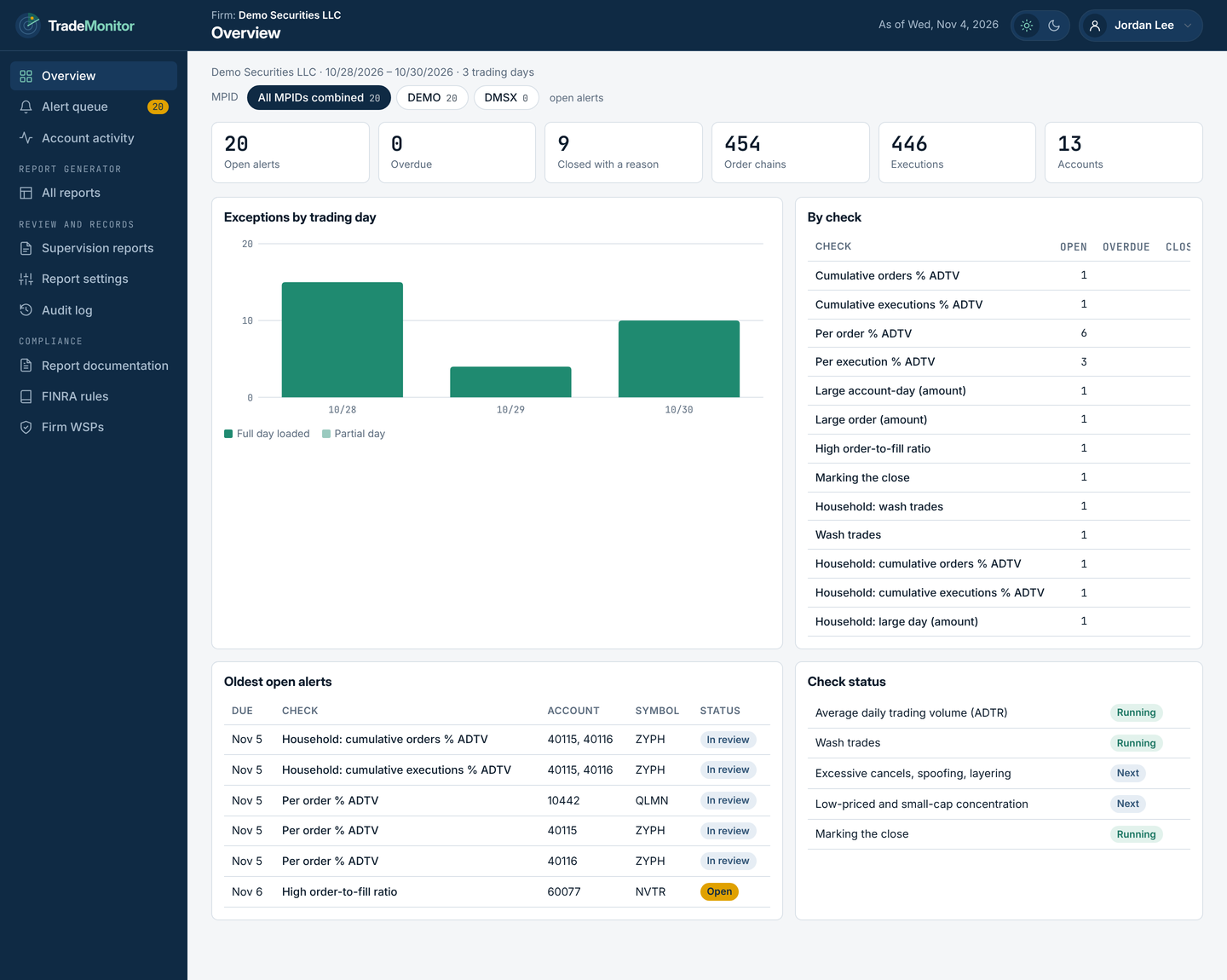
No software to install and no live feed to watch. When your reviewer signs in, the day's work is already waiting.
Pulls the previous day's orders and executions from your REDI file server. Other files can be uploaded by hand.
Each file gets a digital fingerprint when it arrives, so you can show it was never changed.
Orders are rebuilt with every change and fill, matched to market volume, and tested against your firm's limits.
Each one goes to a named reviewer with a due date. A missing file sends an email, never a silent gap.
When FINRA asks how your firm supervises its trading, the answer is already in your email. Once the day's alerts are resolved, TradeMonitor sends the Daily Exception Report on its own, with every alert, the reviewer, the decision and the reason.
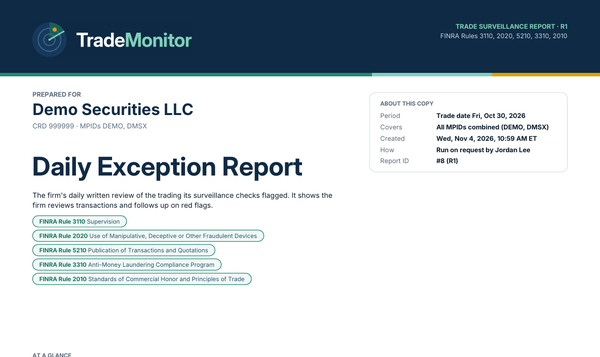
Good morning. The Daily Exception Report for Demo Securities LLC (all MPIDs) is attached. Every exception from Oct 30 has been reviewed and closed with a reason.
| Check | Account | Reviewer | Decision |
|---|---|---|---|
| Per order % of ADTV | 40115 | J. Lee | D1 · No concern |
| Wash trades | 10442 | M. Lopez | D2 · Rep contacted |
| Marking the close | 58210 | J. Lee | D1 · No concern |
| + 7 more in the attached report | |||
A look at the main screens. Every firm, person and trade shown is made up.
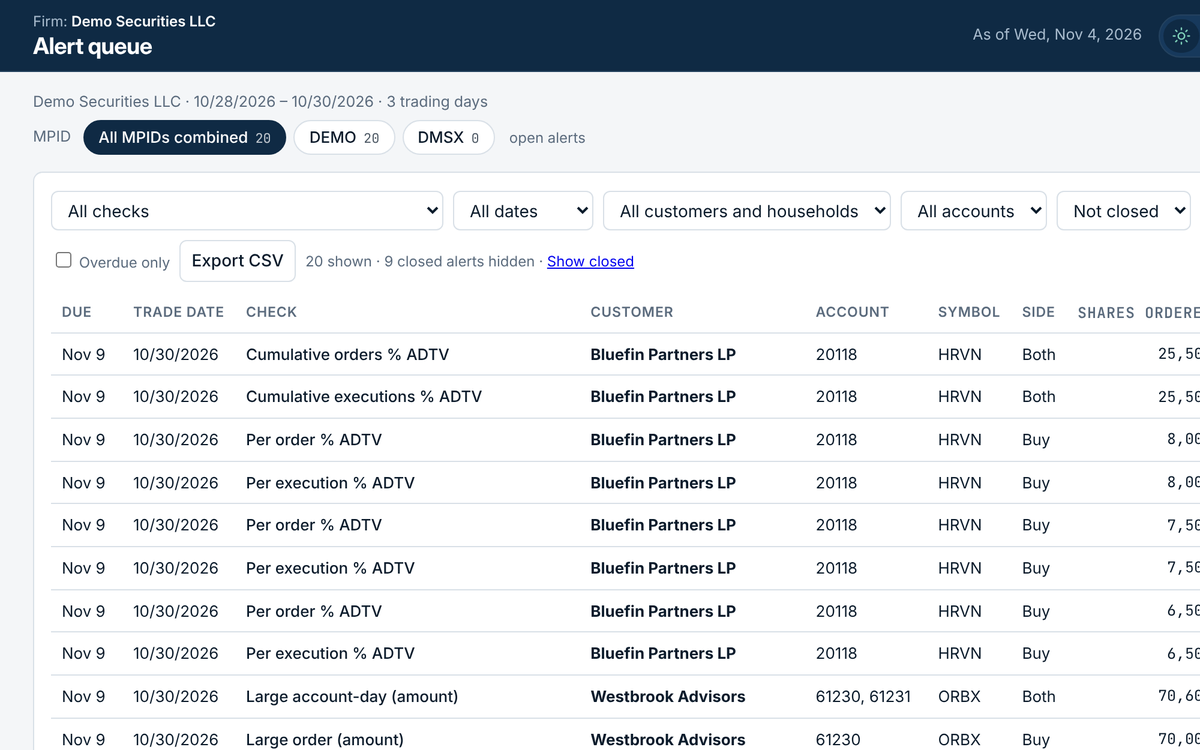
Every exception in one list, filtered by check, date, customer, account or symbol, with overdue alerts easy to pull out.
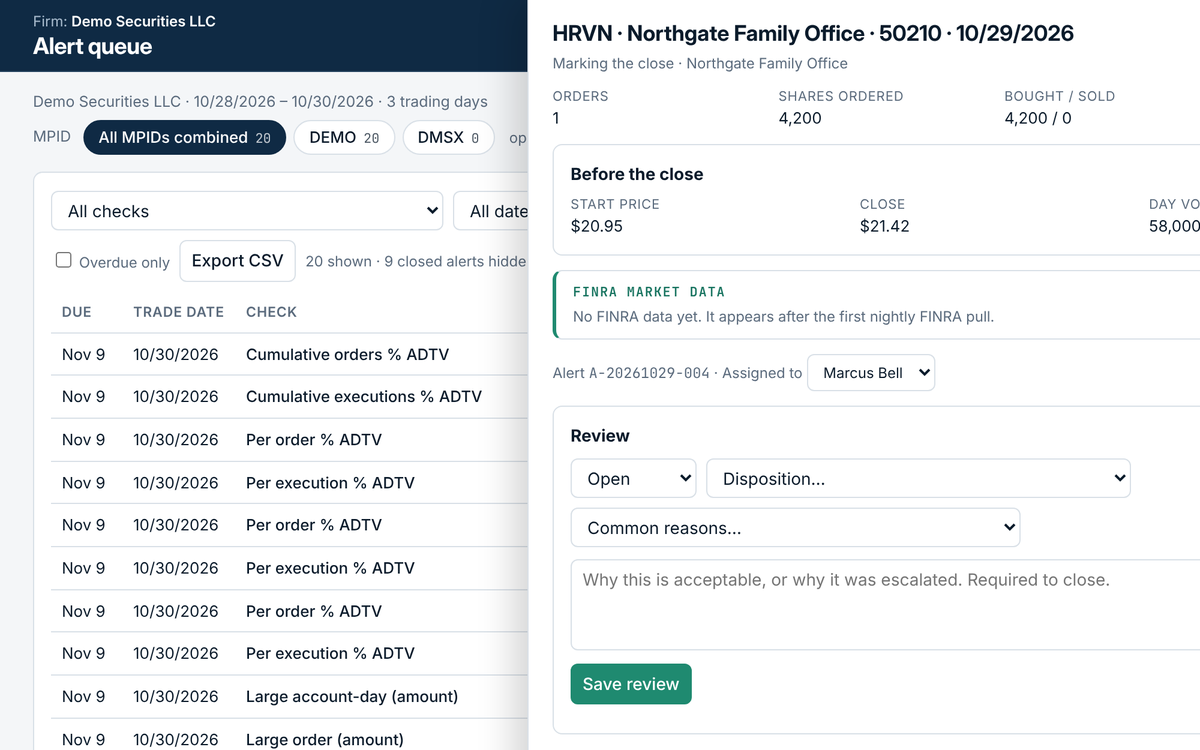
The whole order story in one place: every change and fill, the volume used and the limit, then the reviewer's decision and reason.
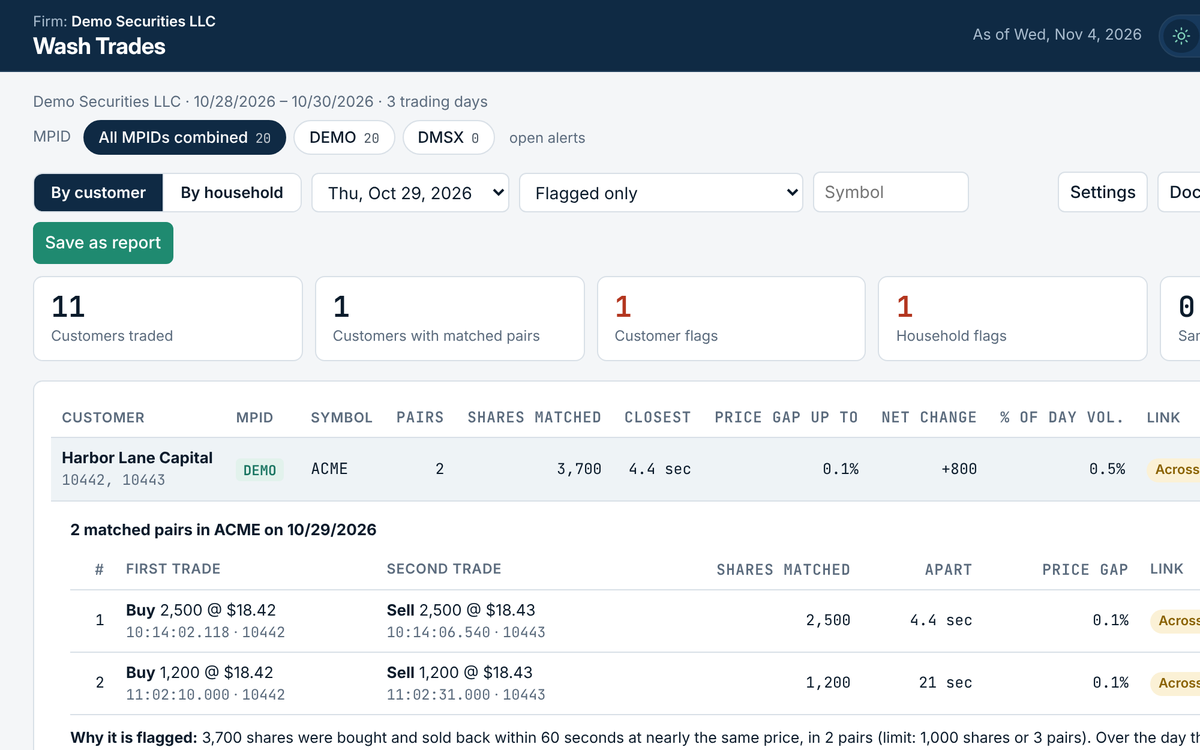
Matched buy and sell pairs for each customer and household, with times, prices and how far apart they were.
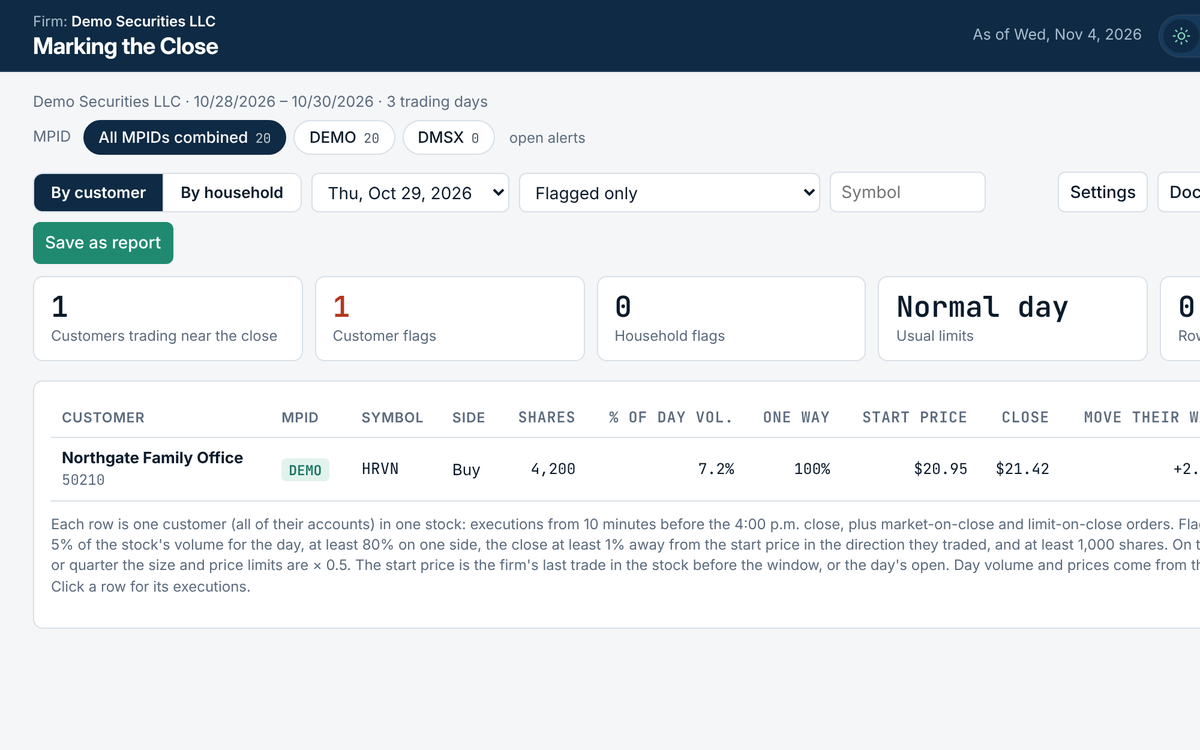
End-of-day one-way trading per customer, with the start price, the close and the day's volume.
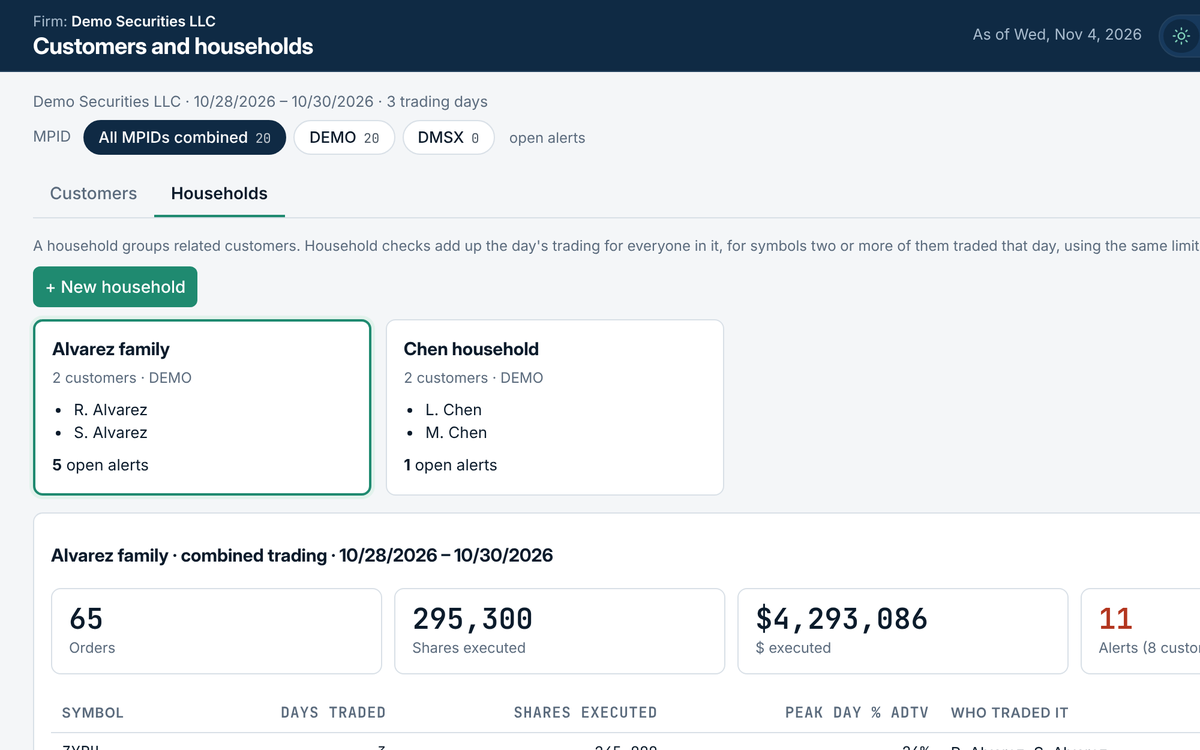
Group related customers, like a family, so their trading in the same stock is added up.
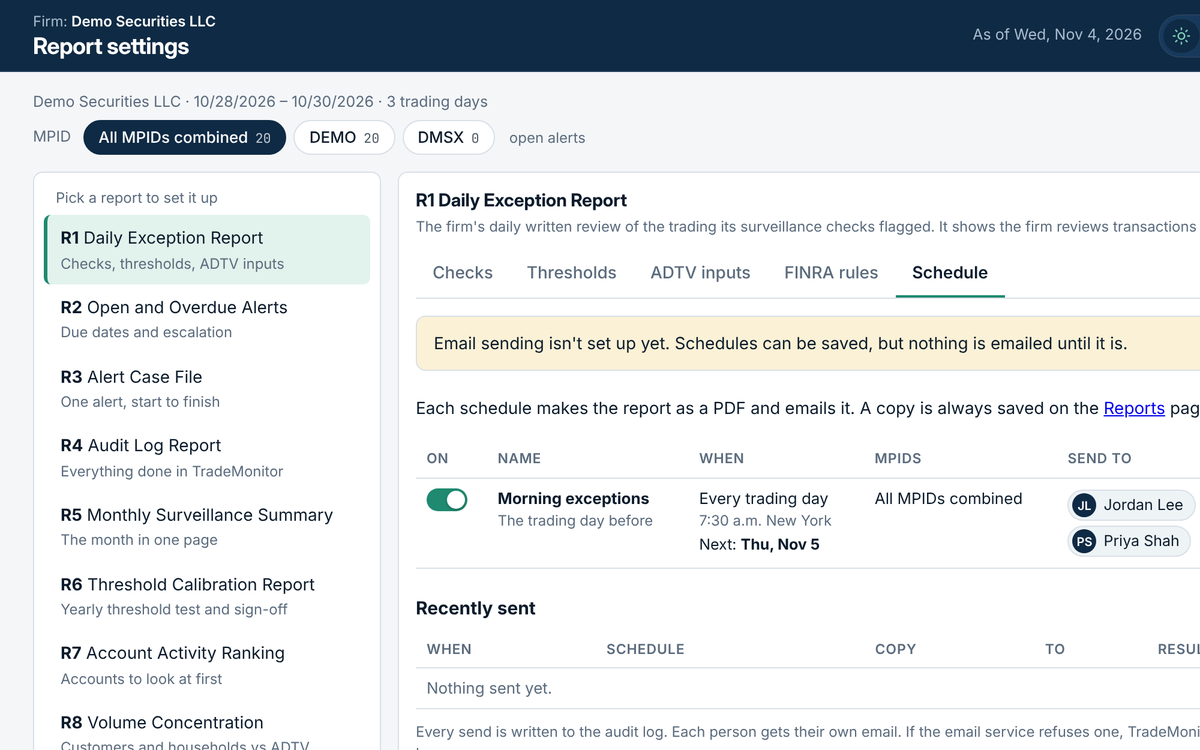
Send any report by email every trading day, weekly, monthly or quarterly, to your team or your auditor.
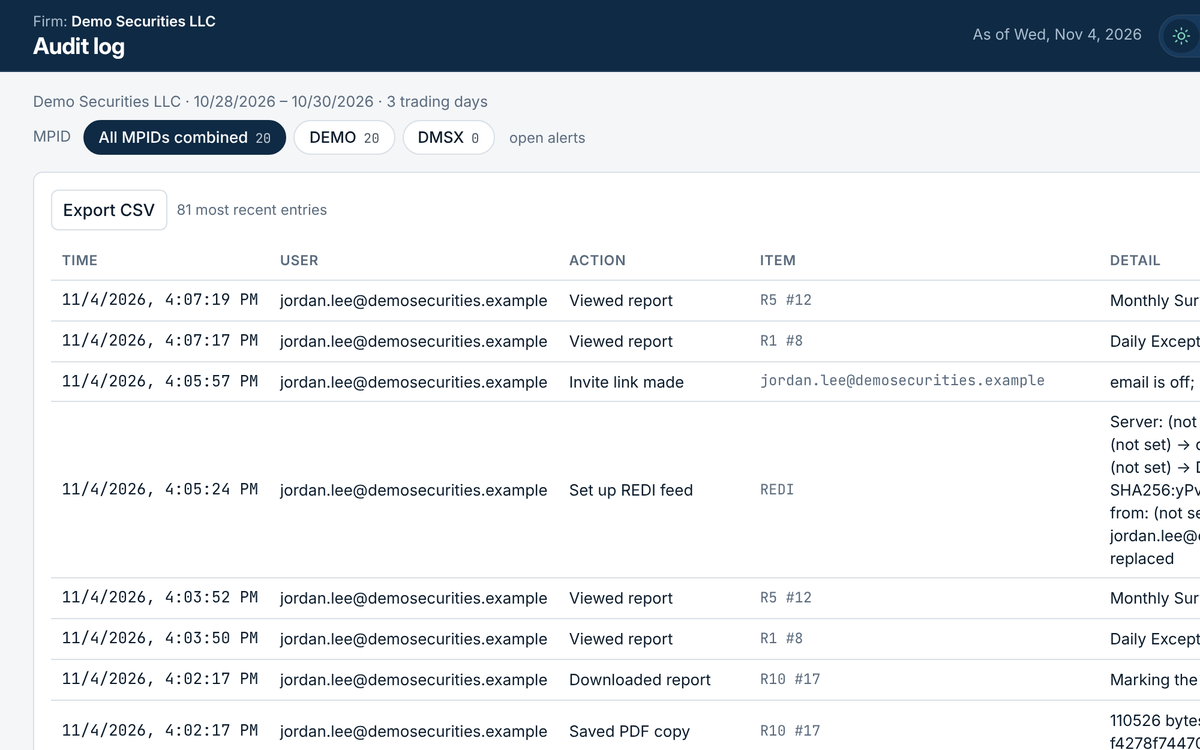
Every upload, review, setting change, download and sign-in, with who, when and from where. It can only be added to.
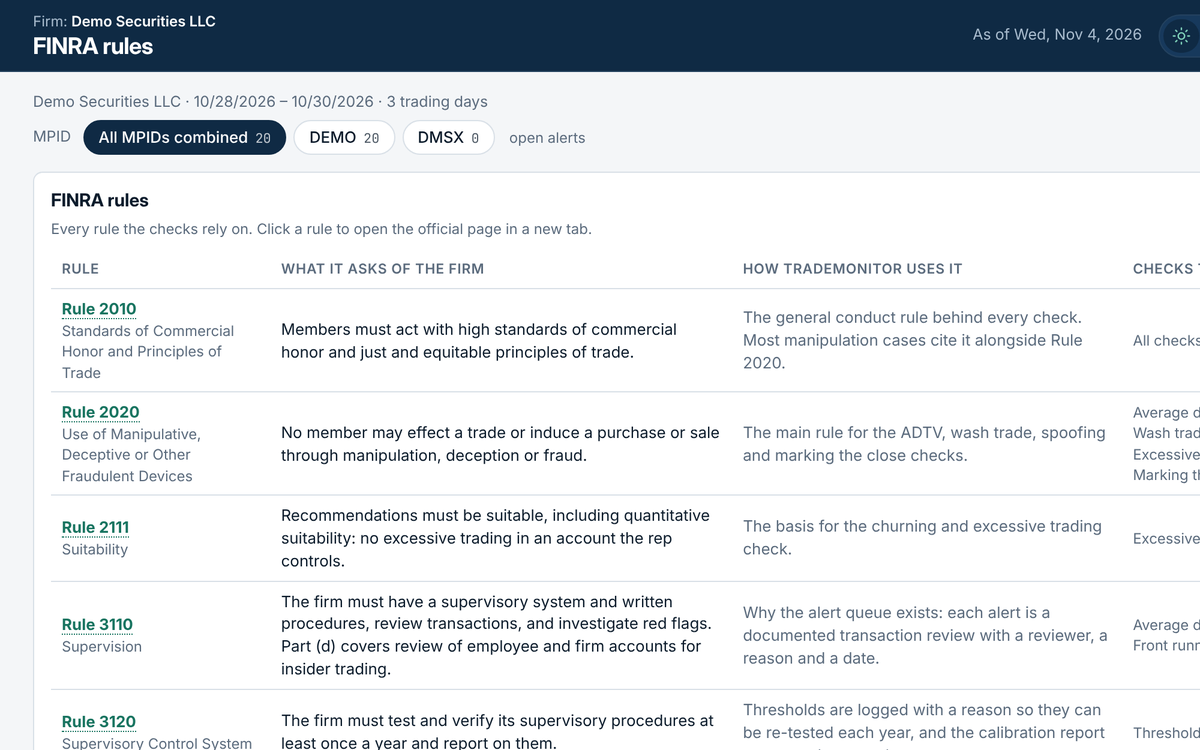
Each rule TradeMonitor relies on, what it asks of your firm, and which checks and reports cite it.
Every report is saved unchanged as PDF and Excel, opens with a plain-language cover page naming the FINRA rules it supports, and can be emailed on a schedule to your team or your auditor.
Reports on trading activity. Open a report on a card to see it, and the gear opens its settings. Every report is saved unchanged as PDF and Excel.
Customers and households whose orders or executions were a big share of a stock's normal daily volume.
FINRA: 2020, 3110, 3310Single orders and whole customer-days above a dollar or share limit, households added up.
FINRA: 3110, 2020Customers who send many more shares than get filled: lots of orders cancelled or never executed.
FINRA: 2020, 5210Buys and sells in the same stock by the same customer or household, close together in time and price.
FINRA: 5210, 2020, SEA 9(a)(2)Large orders on one side cancelled soon after a fill on the other side.
FINRA: 2020, 5210Heavy one-way trading in the last minutes of the day that moved the closing price.
FINRA: 6140, 2020Heavy buying or selling in penny and small-cap stocks, the pump-and-dump pattern.
FINRA: 3310, RN 19-18Trades in employee and firm accounts, including any just before a customer order in the same stock.
FINRA: 3110(d), 5270, 5320Accounts with high turnover or high costs compared with their equity (churning).
FINRA: 2111, Reg BITrades in stocks on the firm's watch or restricted list.
FINRA: SEA 15(g), 3110(d)Short sales without a locate, and mismarked long or short orders.
FINRA: Reg SHO 200, 203, 204Execution prices against the best market price at the time, by stock and order type.
FINRA: 5310The Report Generator inside TradeMonitor, with a report card for every kind of review. Firm and people shown are made up.
R1Daily Exception ReportThe firm's daily written review of everything flagged.
R2Open and Overdue AlertsEvery alert still open, oldest and overdue first.
R3Alert Case FileOne alert from start to finish: trading, review, notes and decision.
R4Audit Log ReportEverything done in TradeMonitor for a period, proven unchanged.
R5Monthly Surveillance SummaryThe month on one page: alerts, decisions, time to close.
R6Threshold Calibration ReportHit rates and limit changes for the yearly Rule 3120 review.
R7Account Activity RankingWhich accounts to look at first this month.
R8Volume ConcentrationTrading that was a big share of a stock's daily volume.
R9Wash TradesMatched buy and sell pairs per customer and household.
R10Marking the CloseOne-way trading in the last minutes that moved the close.
Every limit is a setting your firm can change. Each one shows why its starting value was chosen, and every change needs a written reason.
| Check | What it looks for | Rules |
|---|---|---|
| Size vs. daily volume | Orders, fills and a customer's day that are a big share of the stock's average daily volume. | 2020, 3110, 3310 |
| Large orders and account-days | Big share or dollar amounts, even when no volume data is available. | 3110, 2020 |
| High order-to-fill ratio | Customers who send far more shares than get filled. | 2020, 5210 |
| Household totals | The same checks across related customers, such as a family. | 2020, 3110, 3310 |
| Wash trades | A buy and a sell in the same stock by the same customer or household, close in time and price. | 5210, 2020, SEA 9(a)(2) |
| Marking the close | Heavy one-way trading in the last minutes that moved the closing price. | 6140, 2020 |
| Low-priced stocks | Tighter limits for stocks under $5, applied automatically. | 3310, RN 19-18 |
Rule references are a working summary for your CCO and counsel, not legal advice. mezzoFin is not affiliated with or endorsed by FINRA.
Ask for a demo or pricing, or tell us how your firm reviews trades today.